
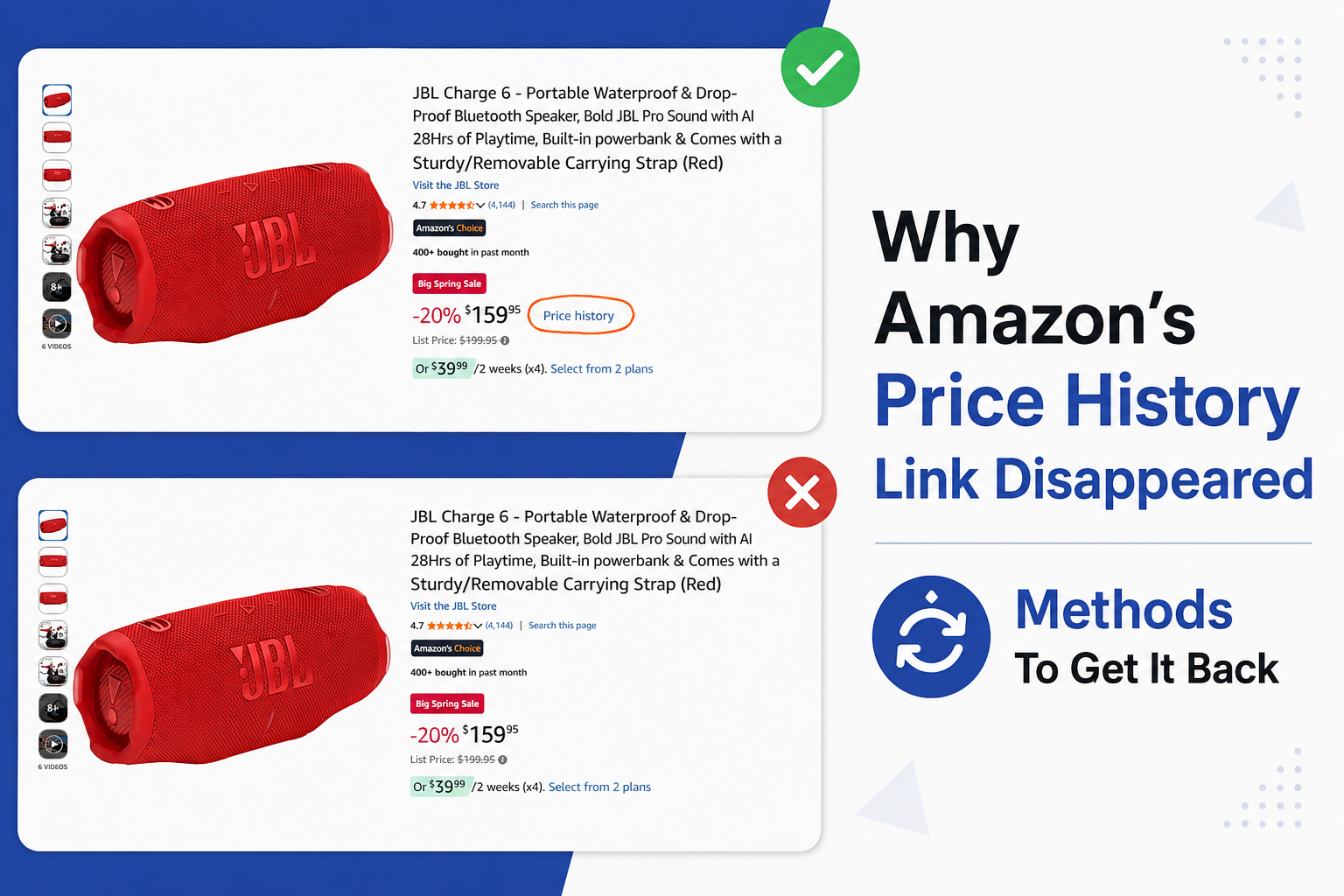
We decided to write this article after we noticed that many people are searching Google for answers about why Amazon’s Price History feature isn’t working. We looked into the issue ourselves, tested the feature, and did the research to find out what’s actually going on.
If your Amazon price history is not showing anymore, here is the short version: Amazon did not remove the feature. It expanded it. In 2026 Amazon increased the lookback window from 30 and 90 days to a full 365 days. In simple words: the lookback window is how far into the past the price chart can show you.
What changed is which listings qualify, which countries have it, and where the button now sits. So the real question is not why Amazon removed price history. It is why it vanished for you, on that product, on that day.
This article gives you the six reasons it disappears, how to tell which one applies in under a minute, and what to use instead when the answer is that you simply do not qualify.
How Amazon's price history actually works
Before you start checking things, you need the model. Almost every confusing thing about this feature comes from one fact: price history is not a normal part of the page. It is a feature of Amazon's AI shopping assistant, and it works only on listings Amazon has chosen to enable.
Here is the chain, in order:
- Amazon's AI shopping assistant hosts the feature. The assistant launched in February 2024 and was called Rufus. On 13 May 2026, Amazon renamed it Alexa for Shopping.
- The assistant needs you signed in. Amazon states the assistant is free for every customer signed into their account, with no Prime membership or Echo device required.
- The listing has to be eligible. Amazon's own wording is "eligible product detail pages" and "hundreds of millions of products." Amazon's full catalogue is much bigger than that.
- Your country has to be on the list. As of August 2026 that means four countries and no more.
In simple words: price history is a permission, not a page. Four separate conditions have to be true at the same time, and if any one of them fails, the link is simply absent. Amazon does not show an error message explaining which condition failed, which is exactly why this feels like a bug when it usually is not.
That is also why two people can look at the same product on the same day and see different things. Nothing is broken. They are meeting different conditions.
Reason 1: That specific listing is not eligible, and Amazon will not say why
This is the most common cause, and it is also the most frustrating, because there is nothing to fix.
Amazon has confirmed that price history appears on eligible product detail pages. What Amazon has never published is what makes a listing eligible. There is no criteria list, no category list, and no help page explaining it. That silence is the single most useful thing to know, because it stops you trying to fix a problem that was never yours.
Why this matters more since mid-2026: shoppers have reported the feature behaving inconsistently on individual listings, appearing on a product one day and being absent from that same product when they came back to check a sale price. Reports of this increased after Alexa for Shopping launched and after Amazon announced the longer 365-day window, with people noticing listings losing the feature one at a time. Amazon has not commented on this, so treat it as a widely reported pattern rather than a confirmed policy.
How will you know this is your problem? Open a mainstream, high-volume product, something like a popular set of headphones or a well-known kitchen appliance. If the price history link appears there but not on the item you care about, the listing is the variable, not your account, your app, or your country.
Action Tip: Test with two listings before you change any setting. One eligible listing proves your account and app are fine, which saves you from reinstalling anything.
Reason 2: You are on a storefront that never had it
Amazon's price history is available to all customers in four countries as of August 2026:
- United States, on amazon.com
- United Kingdom, on amazon.co.uk
- Canada, on amazon.ca
- India, on amazon.in
If you shop on any other Amazon site, including amazon.de, amazon.com.au, amazon.co.jp, amazon.fr or amazon.com.mx, the feature has not launched for you. Nothing disappeared, because it was never there.
A point worth being precise about: what decides this is the storefront you are on. In simple words: a storefront is the country version of Amazon you are using, and you can see which one it is by reading the web address at the top of your screen. Your internet connection does not decide this. Amazon treats your country as an account and address setting rather than something it reads from your IP address. So switching your connection to a US server will not add the feature to a German storefront, because the domain is what carries the feature.
The 365-day view is narrower still. Amazon has said the full year of price insights is rolling out to the US, UK and India. Canada is on the price history list but was not named in that longer-window rollout, so Canadian shoppers may see 30 and 90 days without the yearly view.
Reason 3: You are signed out
This one takes ten seconds and catches more people than it should.
Price history requires an Amazon account. When you try to open it while signed out, Amazon shows a Login button instead of the chart. Because the feature runs through Alexa for Shopping, and Amazon states the assistant works for customers signed into their account.
Where this happens most often: private or incognito browsing windows, a browser that cleared its cookies, a shared computer someone else signed out of, or a phone that logged you out after an app update. In all four cases the page looks completely normal apart from the missing link.
Steps to check this:
- Look at the top right of the Amazon website, or open the menu in the Amazon Shopping app.
- Check whether it greets you by name. If it says "Hello, sign in" instead, you are signed out.
- Sign in, then reload the product page. The link should appear next to the price on an eligible listing.
Reason 4: The button moved when Rufus became Alexa for Shopping
On 13 May 2026, Amazon retired the Rufus name and merged the shopping assistant into Alexa for Shopping. The separate chat window that Rufus lived in went away, and the assistant moved into the main search bar and the bottom navigation of the Amazon Shopping app.
Be careful with how much weight you put on this. The rename is the most likely explanation for "I cannot find where the button went." It is a much weaker explanation for "price history is completely absent from this product." Those are two different complaints, and mixing them up sends people troubleshooting the wrong thing. If the link is missing from every listing you check, look at Reasons 1, 2 and 3 first.
Where the entry points are now. Amazon describes two routes:
- Route one: the price history link on the product detail page itself, right next to the price.
- Route two: open Alexa for Shopping and ask it. Tap the Alexa icon in the bottom navigation bar of the Amazon Shopping app, or find it at the top of the screen on desktop, then ask something like "What's the price history?" or "Has this item been on sale in the past 30 days?"
Route two matters because it works on desktop as well as mobile. Price history sits inside Alexa for Shopping, and Alexa for Shopping is available on the desktop website, so desktop shoppers are not locked out.
Pro Tip: If the link is missing but the listing seems mainstream, try asking the assistant directly before concluding the feature is gone. The two routes do not always surface together, and the conversational route sometimes answers when the link is not rendered.
Reason 5: Your Amazon app is out of date
Amazon's own setup instructions for Alexa for Shopping begin with updating the Amazon Shopping app, then tapping the Alexa icon in the bottom navigation bar. An old app build will not have that icon, and features delivered through the assistant may not render.
This is not confirmed as a direct cause of price history vanishing, so treat it as a sensible first step rather than a guaranteed fix. It costs nothing and it rules out a whole category of problems.
- Open the App Store on iPhone or Google Play on Android.
- Search for Amazon Shopping and open the listing.
- If you see an Update button rather than Open, tap Update and wait for it to finish.
- Fully close the app and reopen it. Look for the Alexa icon in the bottom navigation bar. If it is there, the assistant is live on your device.
Reason 6: You are inside a staged rollout
Amazon has repeatedly described this feature using rollout language: "rolling out," "in the coming weeks," "already available to millions of customers and rolling out to all U.S. shoppers."
That wording matters. It means availability arrives account by account and region by region, rather than becoming available to everyone at the same time. So a friend seeing the 365-day chart while you only see 90 days is not evidence that something is wrong with your account.
There is no way to make it arrive sooner. The honest advice is to check again in a few weeks and use a third-party checker until then.
One more possibility: Amazon may be moving slowly on purpose
Everything above is documented. This section is not. It is analysis, and it is worth reading precisely because it explains a pattern the documented reasons do not fully cover: why a feature Amazon is publicly proud of would quietly narrow rather than widen for so many shoppers at once.
The reasoning starts with what price history does to buying behaviour. A shopper who can see a year of prices does not just learn whether today's price is fair. They also learn when the price usually drops. And a shopper who knows the item was 30% cheaper last Black Friday, or last Diwali, has a strong reason to wait instead of buying today.
Here is the same idea with numbers. Say 100 people look at the same product in September. Without price history, most of them decide based on the price in front of them and some buy today. Now give all 100 of them a chart showing the item fell sharply during last year's sale event. A large share of that group, perhaps most of them, will decide to wait. The sale still happens and they still buy, so nothing is lost forever. But the timing changes, and timing is what sellers plan around.
What Amazon's version cannot do
Even when the feature works perfectly, it has real limits. Knowing them stops you trusting a chart further than it deserves.
It stops at 365 days. That is the maximum window Amazon offers. Third-party trackers like Keepa and CamelCamelCamel hold data going back years, so for a product with a long seasonal pattern, Amazon's view is the shallower one.
Amazon has not said whose price the chart shows. Amazon describes the feature as showing how the price has changed, without stating whether that line includes third-party sellers or only Amazon's own offers. Keepa and CamelCamelCamel are explicit about this and plot separate lines for the Amazon price, third-party new, and third-party used. Until Amazon says otherwise, treat its chart as a single unlabelled line and check a tracker if seller type matters to your purchase.
The resolution appears to be daily. Observed behaviour is a day-by-day view rather than an hour-by-hour one. Amazon has not published the sampling rate, so a short flash deal that lasted only two hours may not appear at all. This is a general limit of price tracking rather than an Amazon flaw, because every tracker samples on an interval.
Coverage is partial. Amazon says the feature covers hundreds of millions of products. Keepa says it tracks over 5 billion Amazon products, as stated in its own app listings in August 2026. Even allowing for different counting methods, the free third-party tools cover far more of the catalogue than Amazon's own feature does. That single comparison explains most "why does it work on this product and not that one" experiences better than any other fact in this article.
What to use when Amazon's version is not available to you
Shoppers on Reddit and other communities have relied on the same two tools for years, and they still work when Amazon's feature does not. Here is the honest comparison, built from each tool's own current documentation rather than copied from a roundup.
Keepa
Best for deepest data, mobile apps
Reads every Amazon page you open
CamelCamelCamel
Simplicity, no install needed
Keepa
Keepa puts a price history chart directly onto the Amazon product page and offers price drop alerts, sales rank history and offer counts. It supports 11 Amazon marketplaces, which is why it is the usual recommendation for shoppers outside the four countries Amazon covers.
One caution worth reading before you install it. Keepa's current Chrome Web Store description says the extension requests access to Keepa and Amazon domains so it can connect Keepa's database with your browsing session and insert the charts. Keepa also states that some permissions power extraction algorithms used for things such as hidden MAP prices and third-party seller stock counts. In simple words: MAP stands for minimum advertised price, which is the lowest price a brand allows sellers to display publicly, and an extraction algorithm is code that reads information out of a page automatically. So the extension genuinely does read and extract information from the Amazon pages you visit. That is not a scandal, because it is how the chart gets drawn. Keepa says it uses the minimum permissions necessary for its functionality, and the Chrome Web Store lists Keepa's declaration that collected data is not sold to third parties or transferred for purposes unrelated to the extension's core function. Decide with that in front of you rather than after the fact.
CamelCamelCamel
It needs no install at all if you do not want one. Paste an Amazon product URL into camelcamelcamel.com and you get a chart with three separate lines: Amazon's own price, third-party new, and third-party used. It is free and has been since 2008.
The maintenance gap is the thing to weigh. According to a comparison published in 2026, Keepa's browser extension shipped version 5.62 on 2 July 2026, while the Camelizer extension's current build, 3.0.16, dates to June 2024. CamelCamelCamel's own tools page still displays extension statistics from 2020. The website side works fine. The browser extension is the part that is not being actively maintained, and an unmaintained extension is the one that breaks first when Amazon changes its page structure.
Action Tip: If you only need one price check right now, use the CamelCamelCamel website and avoid installing anything. Reserve the extension decision for when you actually want charts on every page.
Why Amazon built this at all
Shoppers have complained for years that a discount badge often marks a price the item was already at. Price history is the only way to tell a real markdown from a marketing one. In simple words: a markdown is a genuine reduction from the price the item was actually selling at, while a marketing discount only looks like one.
Regulators reached the same conclusion. Under Article 6a of the EU's Omnibus Directive, any advertised price reduction in the European Union has to be measured against the lowest price the seller applied in the previous 30 days, specifically to stop sellers raising a price shortly before a sale.
Amazon is also under direct legal pressure over pricing. California's Attorney General sued Amazon in 2022 over practices the state says keep prices artificially high, and that case is set for trial on 19 January 2027.
Given all of that, a feature that shows customers a year of price history is not something Amazon is likely to remove quietly. Which is the strongest reason to believe your missing link is an eligibility or access problem rather than a shutdown.
Frequently asked questions
Did Amazon remove the price history feature? No. Amazon expanded it in 2026 from 30 and 90 days to a full 365 days, and says over 50 million customers have used it since it launched in 2024, checking roughly three times a month on average. If it is missing for you, the cause is eligibility, country, sign-in status, or where you are looking.
Why is the price history link not working in the Amazon app? Start with three checks in this order: are you signed in, is your app updated, and does the link appear on a different mainstream product. If it works on another listing, the original listing is not eligible and there is no fix on your side.
Why can I see price history on one product but not another? Because Amazon only shows it on eligible listings, and it has never published what makes a listing eligible. Coverage is in the hundreds of millions of products, which is a fraction of Amazon's full catalogue.
Does price history work without signing in? No. Amazon shows a Login button instead of the chart, because the feature runs through Alexa for Shopping, which requires a signed-in account.
What do people use to check Amazon price history instead? Keepa and CamelCamelCamel remain the two most commonly recommended price history checkers in shopping communities. Keepa goes deeper and has mobile apps. CamelCamelCamel works from its website with nothing installed.
Why do I only see 30 days and not a full year? The 365-day view is rolling out separately from the base feature. Amazon has named the US, UK and India for the longer window, so a shorter window is normal rather than a fault.
Is Amazon hiding price history on purpose? There is no evidence that Amazon is withdrawing it, and the documented facts point the other way, because Amazon expanded the feature in 2026 and promotes it publicly. One reasonable analyst view is that Amazon is rolling it out cautiously, since showing shoppers when prices usually drop encourages some of them to delay buying, which hurts sellers' planning. That is a theory about the pace of the rollout, not proof of a rollback.
Is Amazon's price history as good as Keepa? Not yet, on two measures. Amazon caps at 365 days while Keepa holds years, and Amazon covers hundreds of millions of products against Keepa's stated 5 billion plus. Amazon's advantage is that it needs no install and no account beyond the one you already have.
Your next move
Open a mainstream product listing right now, while signed in, and see whether the price history link appears next to the price. That one test separates "my account or app has a problem" from "this particular listing does not qualify," and everything else you do depends on knowing which of those two you are dealing with.
For the products where Amazon's price history is not showing, a third-party checker fills the gap today. For the rest, the feature is still there and still expanding. It just stopped being where you left it.
Facts in this article reflect Amazon's published information as of August 2026.
